Admin workspace
Everything about the platform itself: who can sign in, what they may touch, the secrets the appliance keeps for your devices, and the AAA daemons your network talks to. Work through it top to bottom on a new deployment.
1 · Identities & roles
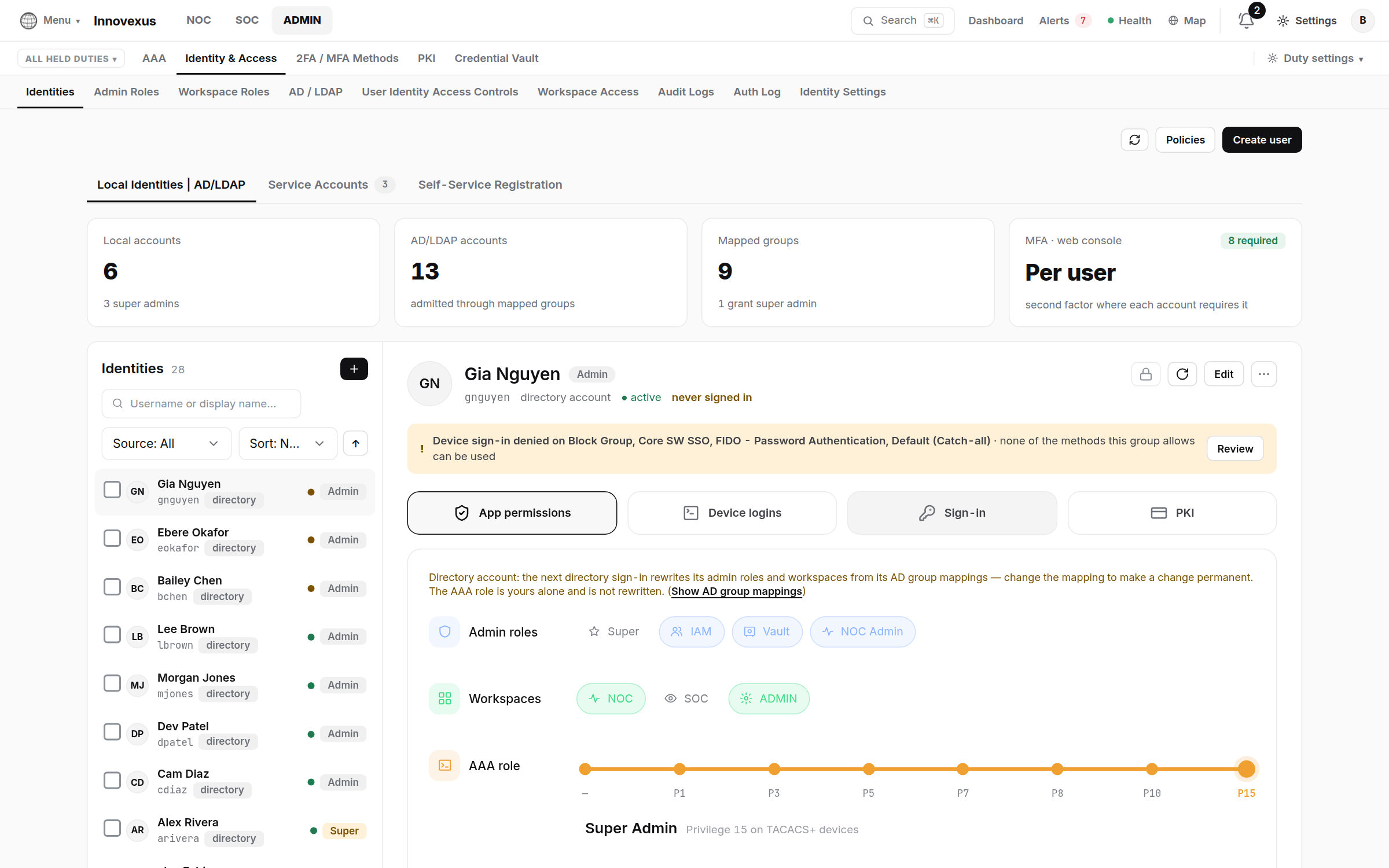
- Create accounts under Identity & Access → Identities
→ Create user — or let them arrive from the directory (next
section). Each account carries three separate grants:
- Admin roles — what they may administer (Super admin, IAM Admin, Vault Admin, NOC Admin…);
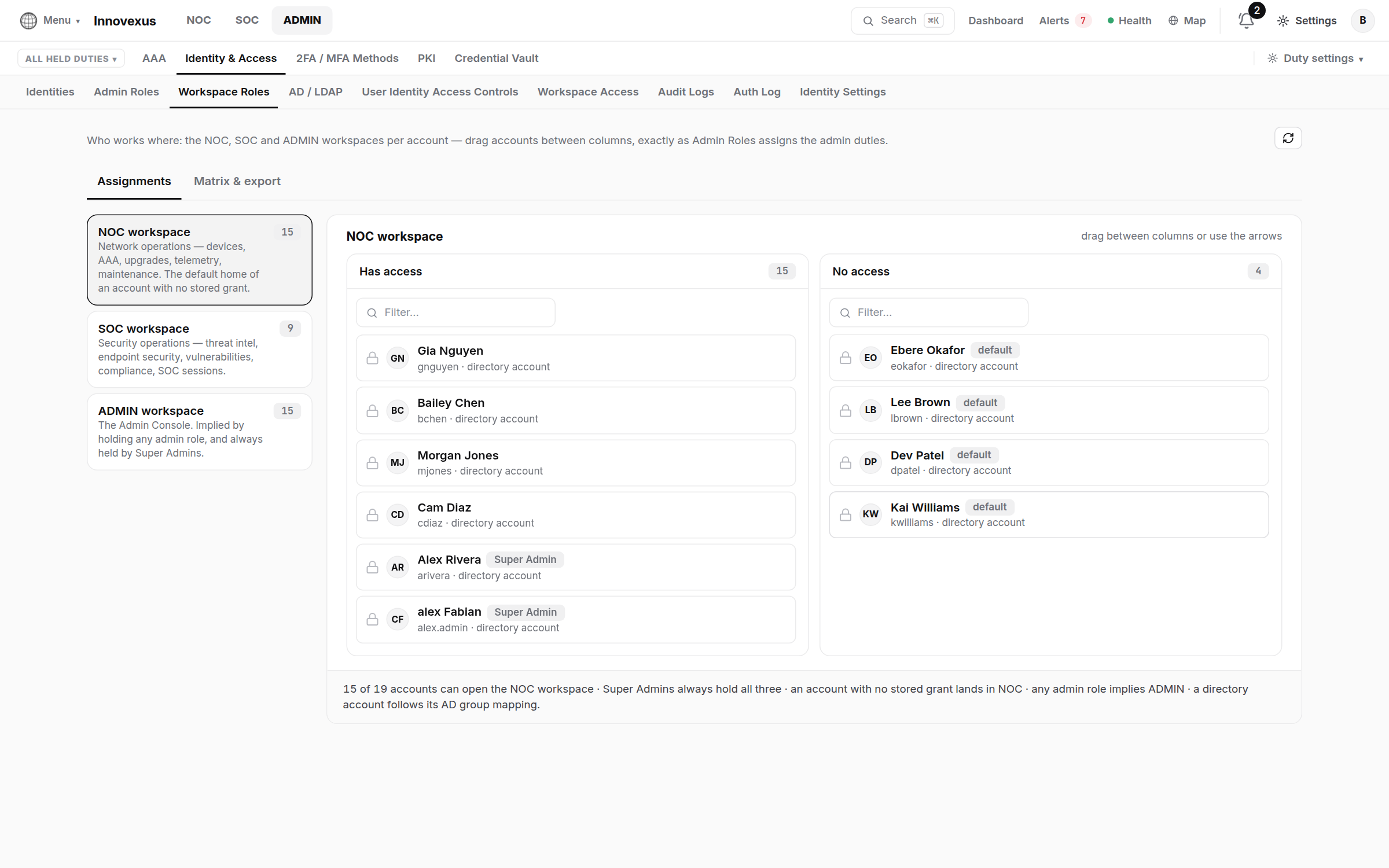
- Workspaces — which of NOC / SOC / ADMIN they see (how workspaces work);
- AAA role — their privilege level on TACACS+-managed network devices (P1–P15).
- Workspace Roles and Workspace Access shape what each workspace shows to whom.
- Admins holding several duties use the act-as menu to work one duty at a time; Audit Logs records every act-as switch and every IAM change, and Auth Log every sign-in.
2 · AD / LDAP
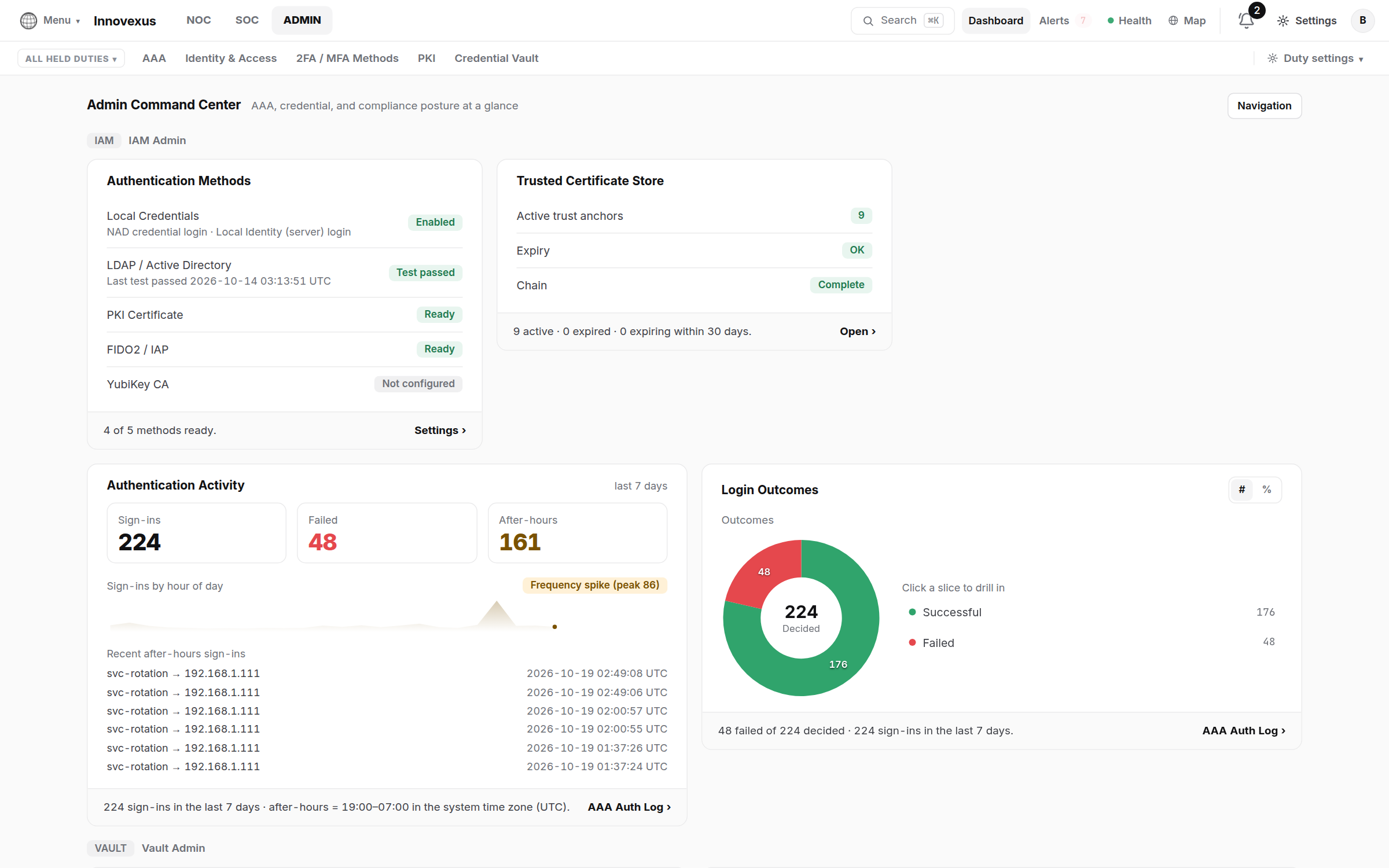
Identity & Access → AD / LDAP connects a directory (LDAPS recommended; test from the page before saving). Map directory groups to admin roles and workspaces; members then sign in with their directory credentials and are admitted with the mapped grants.
3 · 2FA / MFA & sign-in methods
- 2FA / MFA Methods — require a second factor per account or globally; TOTP, FIDO2 security keys and smart cards / CAC are supported, and requirements are enforced server-side.
- Hardware Security Keys — register and attest keys; the Registry Status page shows fleet coverage.
- Phishing-resistant login (passkeys / FIDO2) needs the appliance to have an FQDN and a trusted certificate — the why and the setup are on FIDO2, passkeys & YubiKeys.
4 · PKI trust
PKI → Trusted Certificates is the appliance’s trust store: the chains it presents and the anchors it trusts for LDAPS, smart-card login and agent connections. The Command Center card warns ahead of expiry. The appliance’s own certificate is managed from the CLI or TLS certificates & PKI.
5 · Credential vault
The vault holds every network-device credential the platform uses, so passwords live in one audited place instead of in device rows:
- NAD Credentials — the vault entries themselves (SSH logins, enable secrets, SNMP credentials), encrypted at rest.
- Device Type Groups — rotation policy per device class: how often passwords rotate and with what rules. Rotation is performed by the appliance on the devices themselves.
- Overdue Rotation — the heatmap of what is late; Rotation Audit is the exportable evidence trail per credential.
6 · AAA servers (RADIUS & TACACS+)
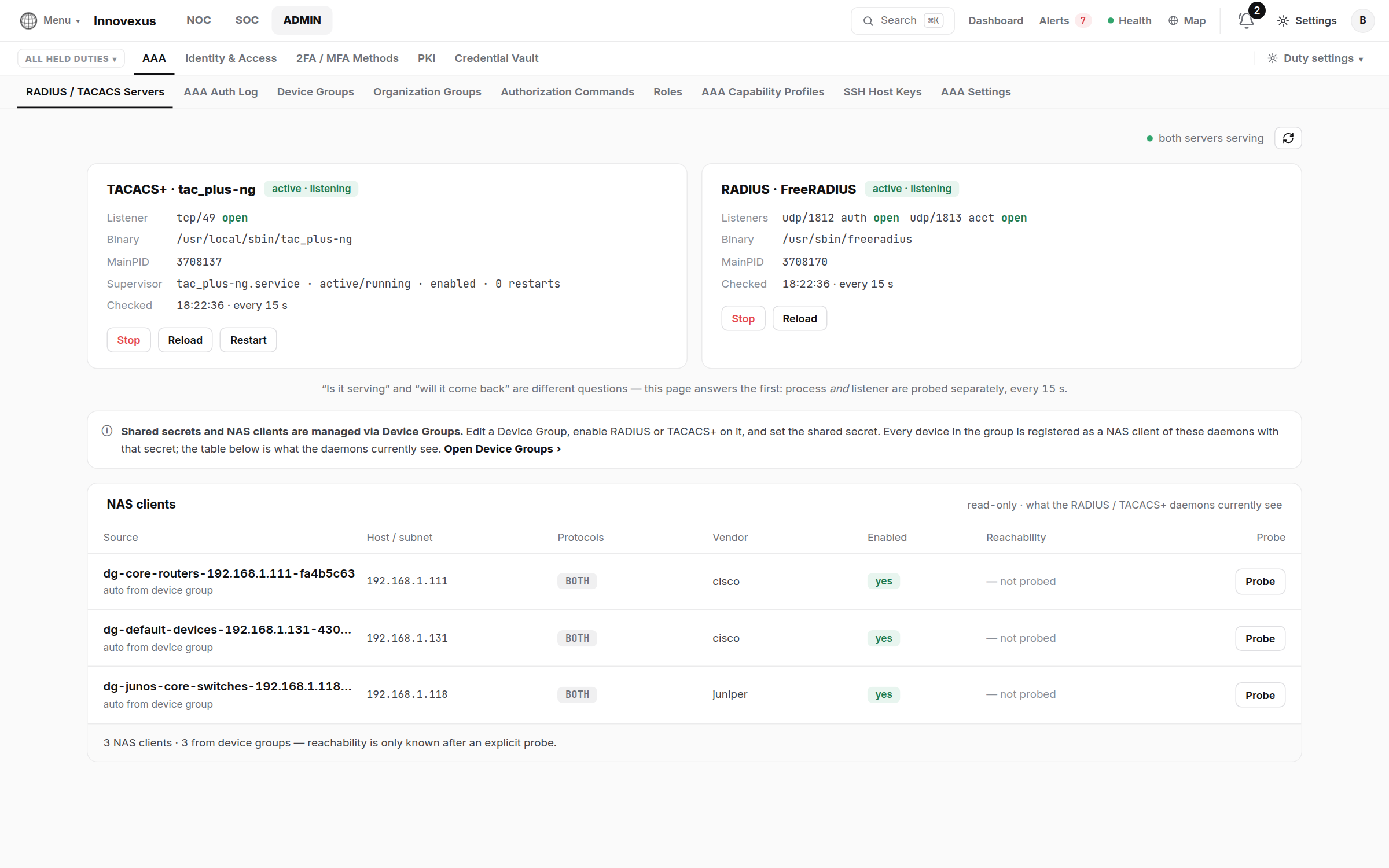
The appliance runs the AAA daemons; this page is their live status — process and listener, probed separately. You rarely configure anything here directly:
- Shared secrets and NAS clients come from Device Groups. Enable RADIUS or TACACS+ on a group (NOC → Infrastructure → Device Groups) and set the secret there; every member is registered as a NAS client automatically. The table on this page is what the daemons currently see.
- Organization Groups rank who outranks whom on shared devices; Authorization Commands and Roles define TACACS+ command authorization; AAA Auth Log is the decision-by-decision record.
- SSH Host Keys lists every pinned device key; a changed key is a security event, resolved here deliberately (“Forget”), never auto-accepted.
The matching device-side CLI for switches and routers is in the NOC guide, section 6.
7 · Global settings & updates
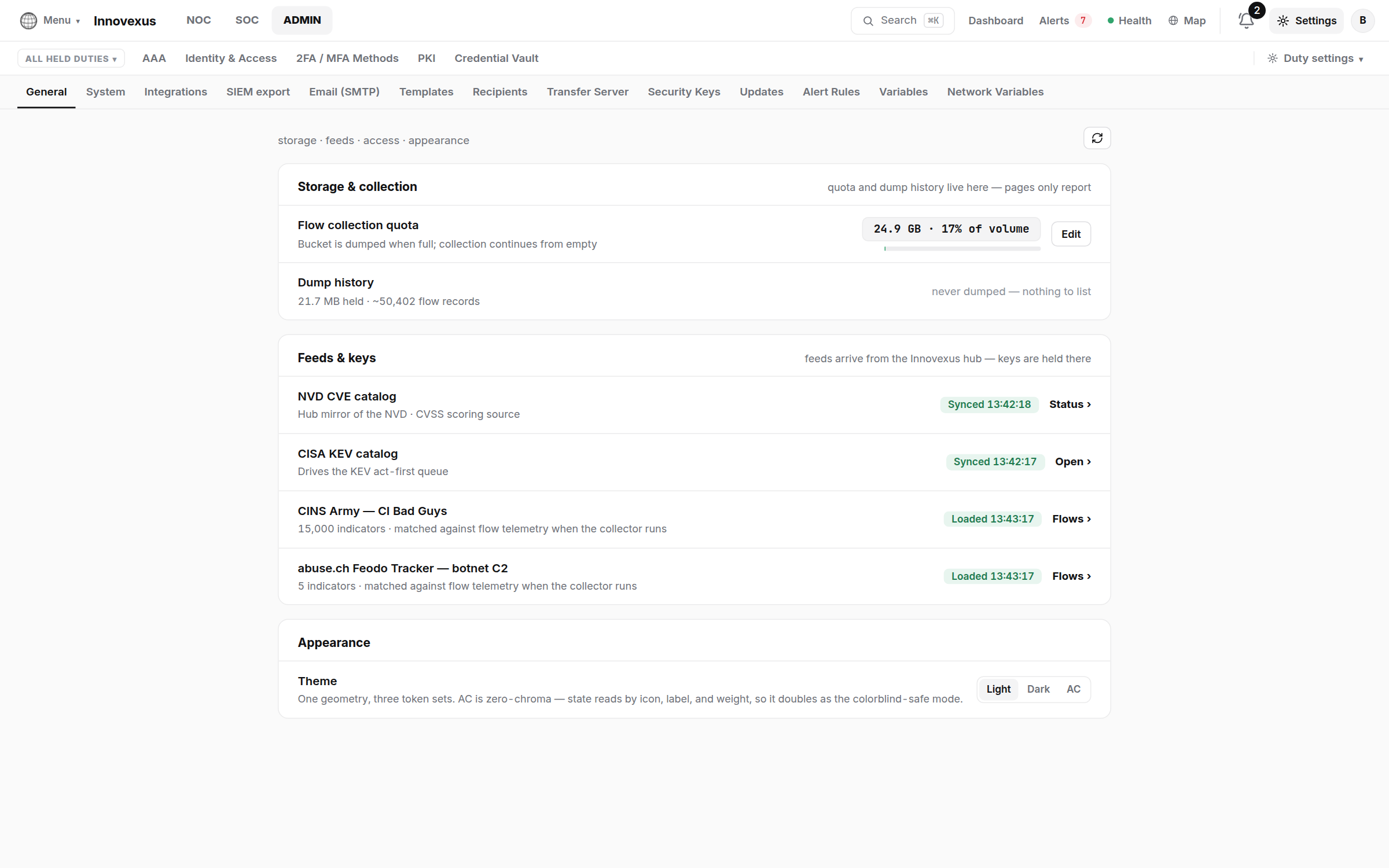
- Settings is reachable from every workspace’s header, and every entry is visible to every account — only saving is permission-gated. Notable tabs: System (appliance clock, NTP — same settings as the CLI, see Time, NTP & DNS), Integrations (Slack / Teams / webhooks), Email (SMTP), SIEM export, Alert Rules, Transfer Server.
- Updates — what the call-home channel has published for appliances and agents; releases are adopted per organization (how agent versions roll out).
- CVE Hub — appliances acting as a hub for others show feed, spoke and release delivery status here.